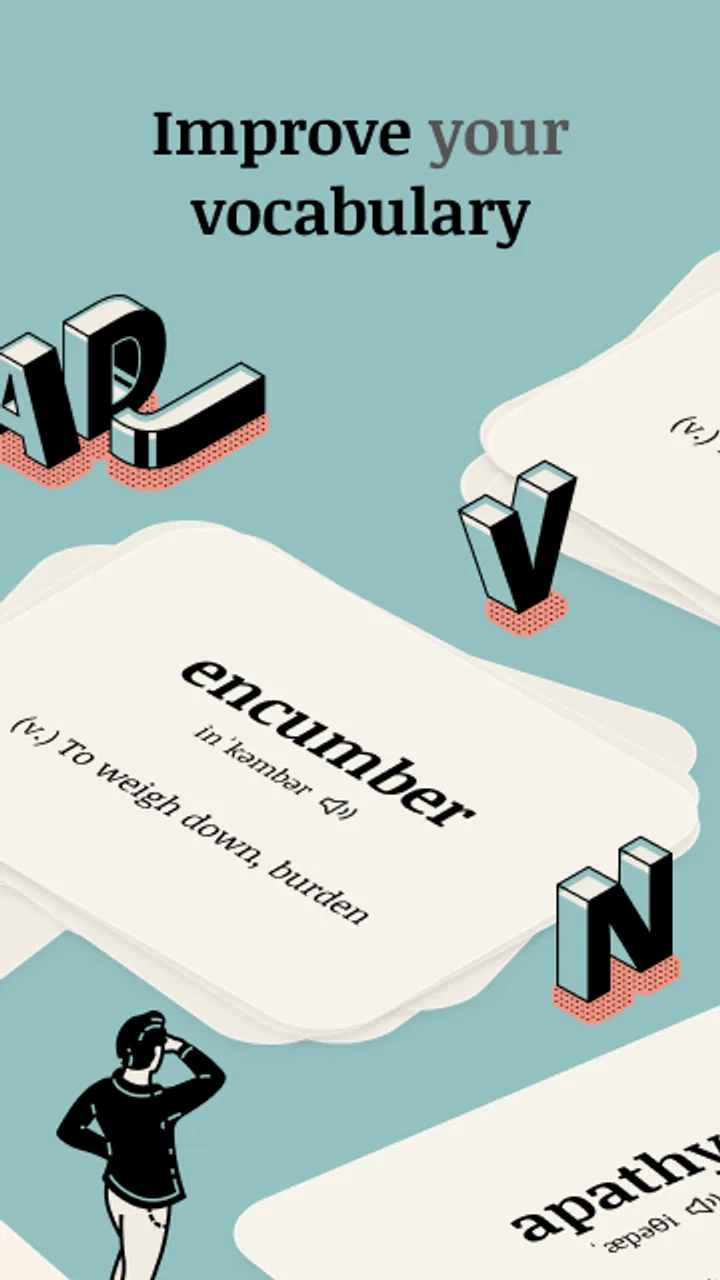
Vocabulary - Learn words daily
- 4.5
- Rating
- 5.00M
- Installs
- Free
- Price

 Analysis by App-foxy
I found Vocabulary - Learn words daily most useful when I treated it as a tiny daily study habit rather than a complete language course. The app belongs to the education category, and its focus is simple: give me a manageable vocabulary exercise that I can fit into a spare minute. That narrow purpose is also its biggest strength. I do not open it expecting grammar lessons, conversation practice, or a full curriculum. I open it when I want to keep new words moving through my day.
That distinction matters because vocabulary apps can easily become overwhelming. Long lessons, complicated menus, and large word lists often make studying feel like another task on my phone. Here, the appeal is the short session. The developer, Monkey Taps LLC, presents it as a way to learn more than ten thousand words through brief daily use, but I think the real value comes from consistency rather than trying to absorb a huge collection quickly. A small interaction repeated often is more realistic than an ambitious plan I abandon after a week.
How the daily vocabulary experience fits real life
My favorite way to use it is during a transition: while waiting for coffee, before starting work, or after setting an alarm. Those moments are long enough for a quick vocabulary check but too short for a traditional lesson. The app gives that spare time a clear purpose without asking me to rearrange my schedule.
You May Also Like

 Blood Strike: 2.5 Anniversary
Blood Strike’s Loadouts Turn Every Drop Into a Tactical Gamble
A close look at Blood Strike’s custom loadouts: how fast access to signature weapons reshapes its battle royale rhythm, rewards preparation, and narrows the gap between fights.

 Pandora - Music & Podcasts
Pandora’s Music Is Easy to Start, but Harder to Recover
Pandora’s strength is its low-effort path from a seed to a station. Its weak spot is how much confidence it asks you to place in connection, setup, and quiet recovery.

 8 Ball Pool
 Is Built on Rivalries, Rematches, and Routine
A close look at the rivalries, rematches, shared routines, and unanswered safety questions that turn a quick pool match into a persistent mobile community.

 Samsung Music
’s Quiet Strength Is Playing What You Already Own
Its reach comes less from spectacle than from dependable access to a personal library. That simplicity is both the app’s strongest retention engine and its ceiling.

 AccuWeather: Weather Radar
AccuWeather Review: A Quick, Clear Forecast for Everyday Decisions
For everyday plans, the best forecast is the one you can understand quickly. AccuWeather makes rain timing, radar, and local conditions easy to act on, with a few trade-offs.

 Hill Climb Racing
Why Hill Climb Racing Still Turns Crashes Into One More Run
A tiny car, a bumpy hill and one more upgrade: Hill Climb Racing keeps resurfacing because its simple chaos makes every near-miss feel personal.
More From Our News Desk



A realistic example is a commuter who wants to improve general English while traveling to work. Instead of opening a social feed during a short wait, that person can review a word, consider its meaning, and decide whether it is worth remembering. The session may be brief, but the repeated exposure can make unfamiliar words feel less distant. I would not rely on it alone for an exam, yet it is a practical companion for keeping language learning present in an otherwise busy day.
The store summary promises a one-minute routine, and that framing is important. It lowers the psychological barrier to starting. I rarely need to negotiate with myself about whether I have enough time. Even on a crowded day, a short vocabulary session feels possible. The trade-off is that a tiny session cannot provide much context by itself. If I want to understand how a word behaves in a conversation, I need to do more work outside the app.
The interface is best understood as a prompt for attention. I try not to rush through a word simply to mark the daily task complete. When something is unfamiliar, I pause and say it aloud, connect it with a sentence I might actually use, or write a quick note elsewhere. That extra step turns passive exposure into active recall. Without it, the app can become a pleasant stream of words that I recognize briefly but cannot retrieve later.
What the short format does well
The short format is especially suitable for beginners who feel intimidated by language study. It also works for people who already read widely but notice gaps in their everyday vocabulary. I like that it can serve as a warm-up before reading an article or writing an email. A single new word can become a useful target for the rest of the day.
It is less suitable for someone who needs a structured path from a particular starting level to a defined outcome. Students preparing for a test, professionals learning specialized terminology, and travelers who need survival phrases may get better results from an app built around those exact goals. This one is broader and lighter. Its role is regular vocabulary exposure, not complete instruction.
One useful habit is to separate recognition from production. After seeing a word, I cover the definition mentally and try to recall it later that afternoon. I then use it in a sentence, even if the sentence is simple. This reveals whether I truly learned the word or merely recognized it on the screen. That small workflow is more demanding than tapping through a daily prompt, but it gives the app a stronger educational payoff.
Connectivity changes the rhythm
Because this is a phone-based learning experience, network conditions can shape when it feels convenient. A stable connection makes the routine feel immediate: I open the app, begin the short activity, and continue without thinking about the technical side. In a busy station, an elevator, or a crowded event, that smoothness may not be consistent. I avoid promising myself a session in a place where my connection is unreliable, because interruptions can break the habit before it starts.
This is one reason I prefer using it at predictable points in my day rather than treating every spare second as guaranteed study time. At home, at a desk, or somewhere with dependable service, the app fits naturally into a routine. On the move, I regard it as an opportunity rather than a certainty. That mindset prevents a weak signal from becoming an excuse to abandon the habit entirely.
I also pay attention to how quickly I can recover from a disrupted session. If an app loses my place or requires me to restart, even a short lesson can feel irritating. With a one-minute activity, the tolerance for friction is low: a delay of a few moments can feel disproportionate to the study time itself. My practical advice is to begin when you have enough calm to finish, not during the most chaotic part of a journey.
Using it without wasting mobile data
I would not describe this as a data-heavy tool based on the brief nature of its daily activity, but careful users can still make sensible choices. I use it when I am already connected to a trusted network if I am trying to keep mobile use predictable. I also avoid repeatedly opening and closing it just to check whether a new item is available. One intentional visit is more efficient than several casual checks.
People with limited data plans should think about the wider phone context too. Notifications, background activity, and other apps may be responsible for more usage than a short vocabulary session. I keep my study routine deliberate: open the app, complete the exercise, make a note of anything worth reviewing, and leave. That approach is good for attention as well as connectivity.
There is another data-conscious point that is easy to miss: mental data. A long list of new words can overload me just as surely as a crowded feed. I choose one or two words to carry into real life instead of trying to remember everything immediately. If a word appears relevant to a conversation, book, or work task, I give it priority. This turns the app from a stream into a filter.
What happens when the routine breaks
No daily habit survives perfectly. I miss sessions, lose concentration, or open the app at a bad moment. The important question is whether returning feels manageable. I find the best recovery method is not to compensate with an unusually long study session. I simply return at the next convenient opportunity and treat the missed day as a break, not a failure.
When a connection problem interrupts me, I first check whether the issue is temporary before repeatedly tapping the same screen. If the app is not responding, I close it, wait, and try again later rather than turning a small technical problem into a frustrating battle. This sounds basic, but it protects the habit. The goal is regular contact with vocabulary, not perfect control over every session.
I also keep a small personal list of words that deserve another look. This is a useful backup when I cannot study in the moment, and it prevents a failed opening from becoming a completely lost opportunity. The list does not replace the app; it simply gives me a recovery path. I can revisit the words through a sentence, a book, or a conversation when the app is not the right tool at that moment.
The app’s free availability makes experimentation easy. I can try the routine without paying at the start, which is helpful for deciding whether a one-minute learning style suits me. There are in-app purchases ranging from a few dollars to considerably more for an individual item, so I would examine the purchase screen carefully before committing to anything. My advice is to use the free experience long enough to judge the habit itself, not the promise of becoming more productive through spending.
Where it compares well, and where alternatives win
Compared with flashcard software, this app feels less demanding to set up. I do not need to build a deck before beginning, and that removes a common obstacle for casual learners. The downside is control. Dedicated flashcard tools are usually better when I want to choose every word, add my own examples, organize topics, or follow a precise review schedule.
Compared with a full language-learning platform, Vocabulary - Learn words daily is more focused. A broader platform is the better choice when I need pronunciation practice, grammar explanations, listening exercises, or guided conversations. This app can complement those tools by supplying extra vocabulary exposure, but I would not mistake it for a replacement.
Compared with simply reading, the app offers a more intentional prompt. Reading exposes me to words in context, which is often better for understanding tone and usage. However, reading does not always make me stop and notice a word. I use the two methods together: the app gives me a small target, and books or articles show me how that target behaves in real language. That combination is stronger than either method alone.
One non-obvious trade-off is that convenience can reduce commitment. Because the session is so easy to start, I may also finish it without reflecting. The app works best when I add a personal action after the prompt: speak the word, write a sentence, or search for it in something I am already reading. Users who want a completely passive experience may enjoy the simplicity, but users seeking durable recall should add that extra layer.
Who should try it
I would recommend it to casual learners, students who want a lightweight supplement, readers who enjoy collecting useful words, and busy adults who struggle to protect study time. It is also a reasonable starting point for someone who has repeatedly failed to maintain longer lessons. The low time commitment makes it easier to build an identity around learning rather than waiting for a perfect schedule.
I would be more cautious about recommending it to a learner with a narrow professional objective. If you need medical, legal, technical, or industry-specific vocabulary, a general daily word routine may not give you the precision you need. The same applies to people preparing for a formal assessment: a targeted course with practice tests and measurable progression would be more appropriate.
Age is not a major barrier here because the content rating is Everyone, but suitability still depends on learning goals and reading ability. Younger learners may benefit from an adult’s help turning new words into sentences. The app can introduce vocabulary, yet a teacher, parent, or conversation partner may be needed to explain nuance and correct usage.
Scale, cost, and trust in the routine
The app has been available since February 23, 2016, and its reach suggests that the format has broad appeal. It has more than five million installs, an average rating of 4.7 from around one hundred one thousand ratings, and around one thousand six hundred written reviews. I see those figures as evidence that many people find the concept approachable, though popularity does not guarantee that its learning style will match my own.
It is free to start, which lowers the risk of trying it. Still, the presence of in-app purchases means I would not assume every useful option is included without checking the exact screen presented in the app. I prefer to decide based on actual use: Do I return voluntarily? Do I remember words later? Does the routine fit my connection and schedule? If the answer is no, paying more will not solve the underlying mismatch.
The strongest sign of value is not the number of words available but the number I can use naturally. I would rather remember a smaller selection and recognize it in conversation than rush through a large catalog. That is why I judge this app by habit formation and recall, not by how impressive the total vocabulary promise sounds.
My verdict on connectivity and everyday usefulness
Connectivity does not define the educational idea, but it affects whether the idea feels effortless. In a reliable network environment, the short routine is easy to place into a morning, commute, or evening wind-down. In uncertain conditions, I plan around it instead of assuming every moment will work. That is the most honest way to use a mobile learning app: let it support the routine without making the routine dependent on perfect circumstances.
After using it, I see Vocabulary - Learn words daily as a focused vocabulary prompt with a low entry barrier, not as a complete language school. Its real strength is making a small daily action feel achievable. Its real weakness is that short exposure can remain shallow unless I actively reuse the words. The app is worth trying if you want a simple education tool that nudges you toward regular vocabulary practice and you are comfortable adding your own examples and review.
My recommendation is straightforward: start with the free experience, use it at a dependable time and connection point, and judge it after you have tested whether the words appear in your own reading or speech. If you need grammar, conversation, specialized terminology, or a tightly measured course, choose a more comprehensive alternative. If your main problem is finding one realistic minute to keep learning alive, this app can be a genuinely useful addition to your phone.
FAQs for Vocabulary - Learn words daily
01What is Vocabulary - Learn words daily?
Vocabulary - Learn words daily is an educational app designed to enhance your vocabulary skills by introducing new words each day. It provides definitions, usage examples, and pronunciation guides, making it suitable for users looking to expand their language proficiency for academic, professional, or personal growth.
02How does the app help in learning new words effectively?
The app uses a structured approach by delivering a new word daily, accompanied by its definition, pronunciation, and examples of use in sentences. It also includes quizzes and flashcards to reinforce learning and ensure better retention. The spaced repetition system helps users remember words more effectively over time.
03Is Vocabulary - Learn words daily suitable for all ages?
Yes, the app is designed to cater to a wide range of users, from young learners to adults. Its user-friendly interface and adaptable difficulty levels make it accessible for children, students, and professionals alike. Parents and educators can use it as a tool to aid in language learning and development.
04Does the app offer support for multiple languages?
Currently, the app focuses primarily on English vocabulary. However, it includes features that assist non-native speakers, such as translations and pronunciation guides in multiple languages. This makes it a valuable tool for those learning English as a second language, although the primary content is English-centric.
05Are there any in-app purchases or ads to be aware of?
Vocabulary - Learn words daily offers a free version with essential features and is supported by ads. However, users have the option to upgrade to a premium version, which removes ads and unlocks additional features such as advanced quizzes, offline mode, and personalized learning paths. This ensures a more comprehensive and uninterrupted learning experience.
Pros
- User-friendly interface for easy navigation.
- Daily reminders to encourage consistent learning.
- Wide variety of vocabulary topics available.
- Customizable learning paths to suit user needs.
- Offline access for learning without internet.
Cons
- Limited free content; subscription needed.
- Ads can be intrusive in the free version.
- Some vocabulary lists lack depth.
- Occasional app crashes reported by users.
- Pronunciation audio quality varies.

Vocabulary - Learn words daily
Gallery